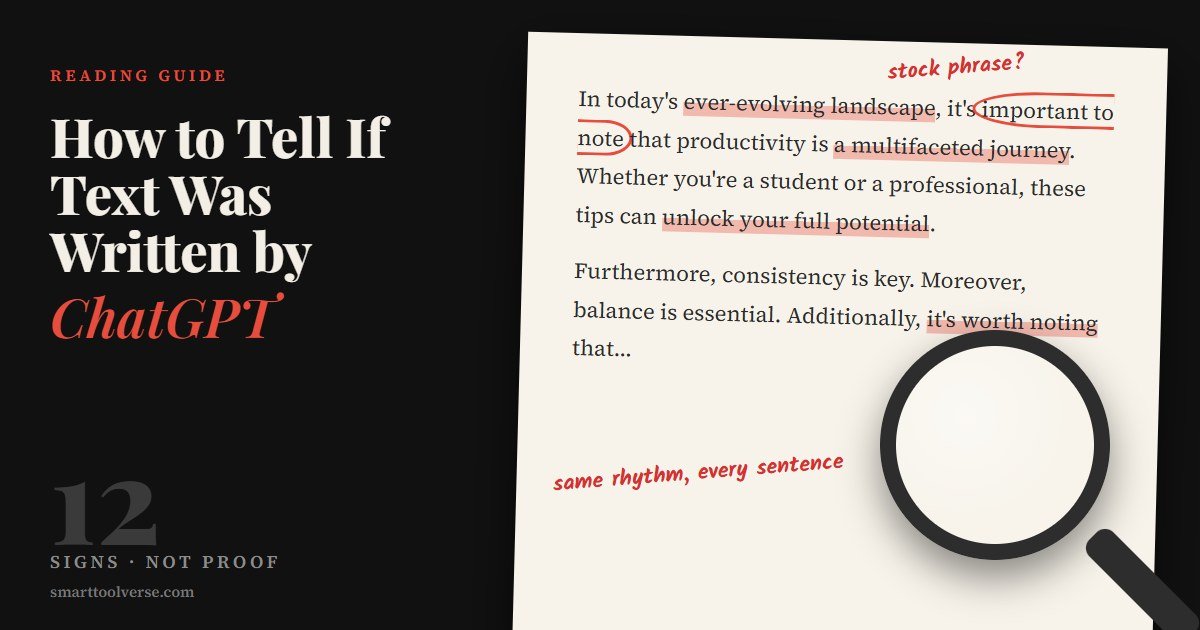
Short answer: you cannot prove it from the text alone. What you can do is look for patterns that chatbots produce often: stock phrases, even sentence rhythm, careful "both sides" balance, generic examples, invented details and no first-hand experience. Several of them together are a reason to ask questions, not a verdict, because people write this way too. Our free AI content detector measures some of these patterns for you and should be read the same way: as one signal.
Before you start: what these signs can and cannot tell you
ChatGPT and similar tools predict likely words, so their default output drifts toward safe, average, well-organized prose. But careful students, corporate writers, non-native speakers and anyone following a template produce the same habits. Research has found that automated detectors flag non-native English writing as AI far more often than native writing (Liang et al., 2023), and human readers have the same blind spots.
So use the signs below to decide what to look at more closely. One sign means almost nothing. Several, plus a mismatch with what you know about the writer, is worth a conversation. If you want the technical side (perplexity, accuracy and false positives), read how AI content detectors work; this post is about what you can see with your own eyes.
12 signs of AI writing
1. Stock phrases and "AI vocabulary"
Example: "Social media plays a crucial role in the rich tapestry of modern communication. It is important to note that it is a testament to human creativity."
Models lean on phrases that appear in huge amounts of polished web text: "plays a crucial role", "a testament to", "navigate the complexities", "it is worth noting", "furthermore". Not proof: these phrases were common in essays and marketing copy long before chatbots, and many students are taught to use them.
2. Every sentence is the same length
Example: "The policy has several benefits for employees. It also creates some challenges for managers. Overall, the impact depends on implementation." Three sentences, 6 to 7 words each, the same shape.
Default AI output tends toward medium-length sentences in a steady beat. People usually mix a long explanation with a short punch. Not proof: technical, legal and beginner writing is often evenly paced on purpose.
3. Perfectly hedged balance
Example: "Remote work offers flexibility, but it can also lead to isolation. Ultimately, the best choice depends on individual needs and preferences."
Chatbots are tuned to be fair and avoid strong positions, so they give both sides equal weight and end on "it depends". A person with experience usually picks a side. Not proof: a student asked to "discuss" a topic is often taught to write exactly this.
4. Lists and headings for everything
Example: A short email answering a simple question arrives with a "Key Takeaways" heading, three bold bullet points and a summary.
Chat interfaces reward scannable structure, and models often reach for three neat points of equal length. Not proof: people who write documentation, slides or SEO content format this way out of habit.
5. Generic examples
Example: "For example, a small business might use social media to reach new customers and increase engagement."
Without a specific situation in the prompt, a model fills in the most typical example it can. A person tends to name a real shop, a real number or a real mistake. Not proof: writers who are new to a topic, or writing to a word count, also stay vague.
6. Specific-sounding details that are wrong
Example: "A 2019 Harvard study found that 73% of remote workers are more productive (Smith & Lee, 2019)." No such study can be found.
Models generate text that looks like a citation, and can invent authors, page numbers, quotes, statistics and links. This is the most useful sign, because you can check it. Not proof: people misremember sources and copy bad statistics too, so ask where the claim came from before deciding why it is wrong.
7. No first-hand detail
Example: "Volunteering can be a rewarding experience that helps people develop new skills." In an essay about the writer's own volunteering.
A model has no experiences, so personal pieces stay abstract: no names, places, dates, sensory detail or what went wrong. Not proof: some people are private, or were never taught to write about themselves.
8. "It's not just X, it's Y"
Example: "This is not just a phone; it is a statement about how we live." Or: "Leadership isn't about titles. It's about trust."
This contrast pattern sounds insightful, and chatbots use it often to add drama. Not proof: advertising and speechwriters have used it for decades.
9. An ending that repeats the beginning
Example: "In conclusion, social media has both positive and negative effects, and its impact depends on how it is used."
Models often close with a summary that restates the opening in new words, adding nothing. Not proof: the five-paragraph essay format teaches exactly this.
10. Chat leftovers and placeholders
Example: "Certainly! Here is a cover letter for the position." Or "[Company Name]", "I hope this helps!", or a reply that still says "As an AI language model".
These are pasted straight from a chat window. They are the strongest sign on this list. Not proof: they show a chatbot was involved somewhere, not how much of the text it wrote, and templates also contain placeholders.
11. Formatting tics
Example: Heavy use of em dashes (—), bold phrases at the start of each paragraph, Title Case Headings and emoji bullets in an otherwise plain document.
These reflect the formatting habits of chat interfaces. Not proof: the em dash is ordinary punctuation that many careful writers love, and judging someone by it is unfair.
12. A sudden change in voice
Example: A student whose emails are short and casual hands in a flawless essay with words like "multifaceted" and "paramount", and no spelling slips at all.
This is a comparison, not a pattern in the text itself, and you need earlier writing to see it. Not proof: people write differently when they have time, use a spell checker or a grammar tool, or get help from a tutor.
Single signs are weak. Signs 6 and 10 can be checked; the rest are matters of style. Count how many appear, and weigh them against what you know about the writer.
A fair checklist for teachers, editors and hiring managers
| Step | What to do | Why |
|---|---|---|
| 1. Check the facts | Look up two or three citations, statistics or quotes | Invented sources are a real problem whoever wrote them |
| 2. Compare with known work | Read earlier writing by the same person | A change in voice means more than any single phrase |
| 3. Look for process | Ask for drafts, notes or version history (Google Docs keeps it, and so does Word for files saved to OneDrive) | Real writing leaves a trail |
| 4. Talk to the writer | Ask them to explain a paragraph or a choice they made | People can usually discuss what they wrote |
| 5. Use a detector as one input | Run the text, then read the highlighted parts yourself | A score is an estimate, not evidence |
| 6. Check your policy | Is AI help allowed? Was it disclosed? | Some use (outlines, grammar fixes) may be permitted |
For hiring managers: a polished cover letter is not a red flag on its own. One follow-up question about it ("tell me more about that project") tells you more than any scan.
Using a detection score as one signal
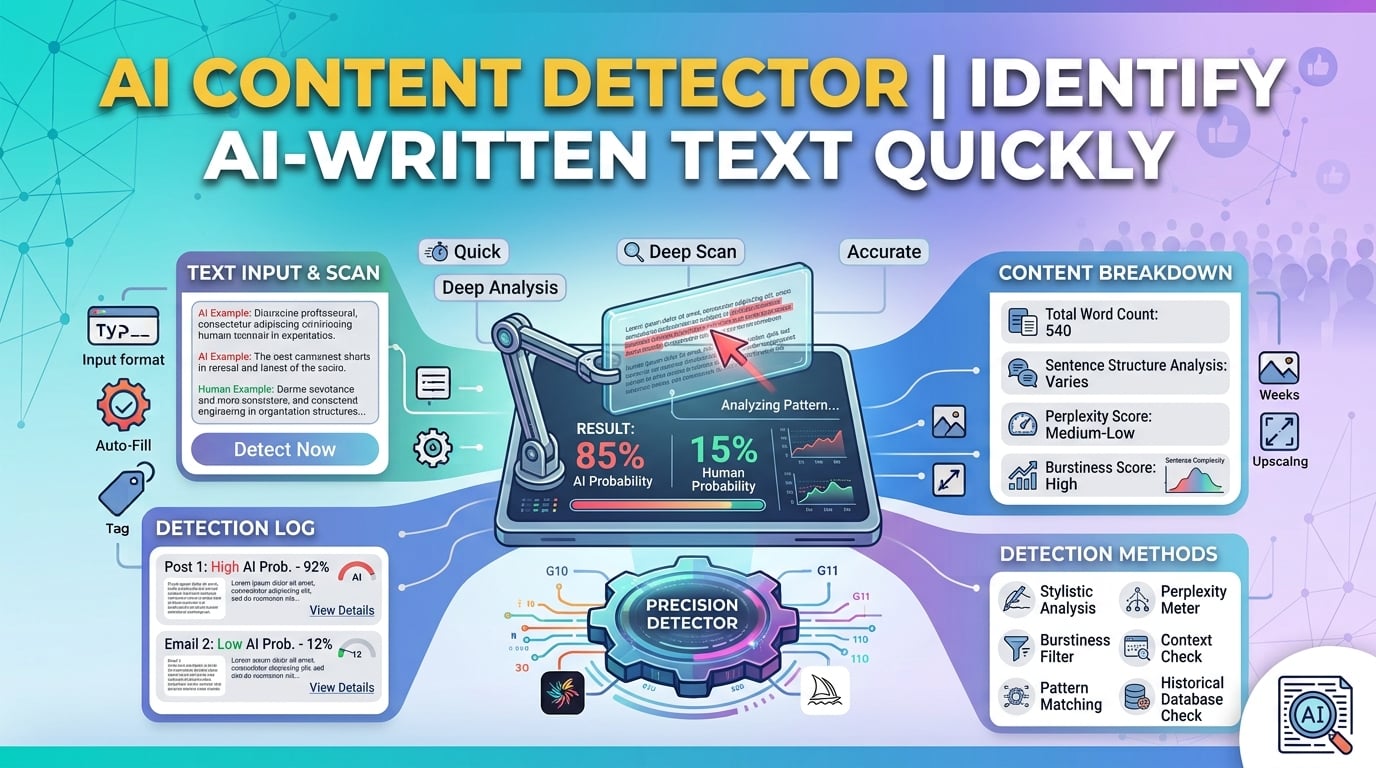
Paste at least 50 words (up to 15,000 characters) into our free AI text checker. Before you click anything, it measures in your browser:
- the number of sentences and the average words per sentence, with a ± figure for how much they vary (sign 2),
- vocabulary variety, as a moving-average type–token ratio,
- how many AI-typical stock phrases appear (sign 1), with those phrases and their sentences highlighted.
When you click Analyze Text, the text is also sent to our AI provider for a language-model judgement. The final 0–100 estimate is 60% that judgement and 40% the measured signals, with a short explanation and a few observations. The tool itself says it is an estimate, never evidence.
It cannot check facts (sign 6), see a change from someone's earlier work (sign 12) or know whether AI help was allowed. Those parts are your job. To understand why scores can be wrong, see accuracy and false positives.
If the text is your own and reads as AI-like, the fix is better writing rather than disguise: our guide to editing AI text so it sounds human covers that.
FAQ
Is there a reliable way to tell if text is written by ChatGPT?
No. Neither people nor software can prove authorship from the text alone. Invented citations and pasted chat phrases are the strongest clues; everything else is a style pattern that humans share.
How can I check if content is AI generated for free?
Read it for the 12 signs above, check two or three facts, and run it through the AI content detector as one more input. Treat a high score as a reason to look closer, not as an answer.
Does using em dashes mean ChatGPT wrote it?
No. Em dashes are standard punctuation, common in journalism and fiction. Heavy use alongside other signs may fit a chatbot pattern, but on its own it means nothing.
What should I do if I think a student used ChatGPT?
Check your school's policy, then talk to the student without accusing them. Ask about their process, their sources and a paragraph or two. Drafts or version history often settle the question either way.
Can I ask ChatGPT whether it wrote something?
You can ask, but the answer is a guess, not a lookup. It has no record of other people's conversations and will sometimes claim to have written text that a person wrote.
Use the signs to ask better questions, and keep the benefit of the doubt where it belongs. When you want a second look at the patterns, paste the text into the AI content detector and read the highlighted sentences yourself.